Categories
Blog Post

BASICS OF HANDLING YOUR KONICA MINOLTA BIZHUB PRINTER.

Like any other multifunctional printer/machine, Konica Minolta Bizhub machines require care and excellent maintenance practices. It is important to note that some maintenance work requires a trained technical person, so technical support is Office Dynamics ltd strength. We offer technical support to all our clients who have leased with us or their Konica machines requiring maintenance.
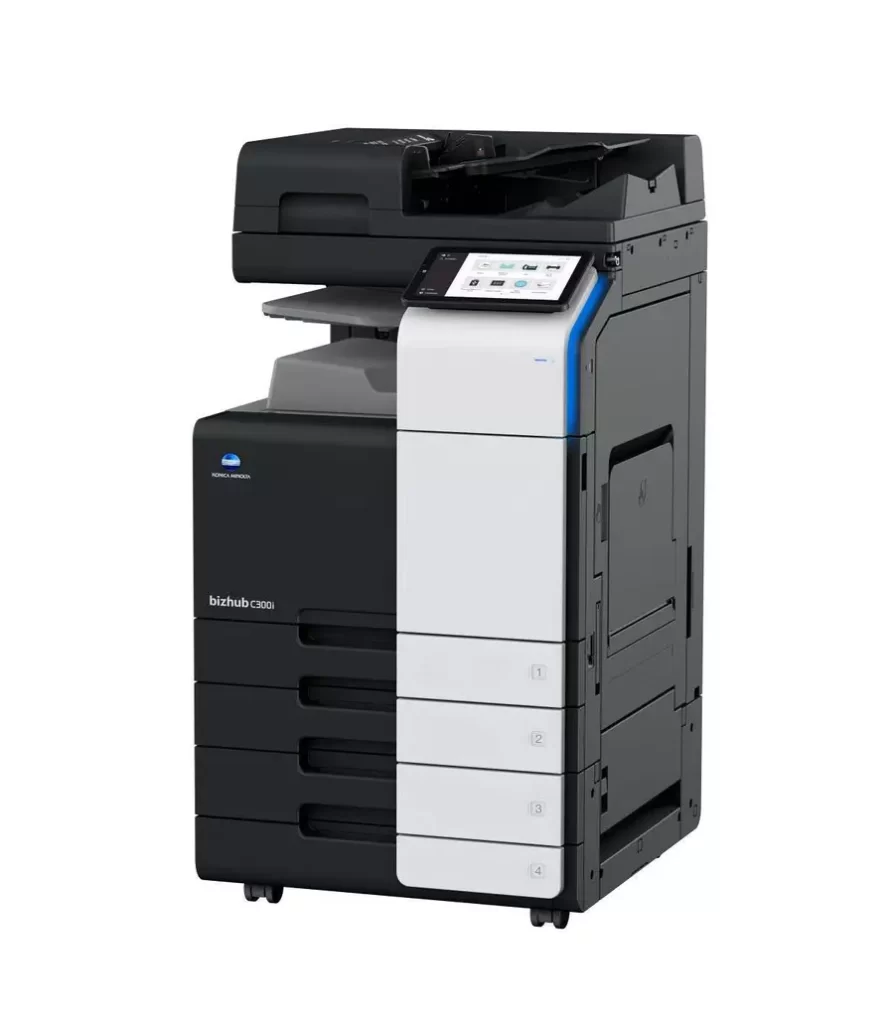
Bizhub C300i

These basic printer handling practices can help extend the life of your printer and ensure that it produces high-quality prints.

Keep the printer clean.

Regularly clean the printer to maintain print quality and prevent toner buildup or paper jams. Use a clean, dry cloth to wipe down the printer’s exterior and remove any dust or debris. For more extensive cleaning, book a technician with office dynamics limited.

Use the right paper.

Different types of printers require different types of paper. Use paper compatible with your printer to avoid paper jams and other issues.

Load paper properly

Make sure to load the paper correctly into the printer tray. Improperly loaded paper can cause paper jams or affect the print quality.

Maintain ink or toner levels.

Check the ink or toner levels regularly and replace them as needed. Running out of ink or toner can cause poor print quality or even damage the printer. Regularly replace toner cartridges and other consumables, such as imaging or fusing units, to maintain optimal printer performance. Consult the printer manual or contact a technician for guidance on replacing these parts.

Check for software updates:

Check for and install any software updates for your Konica Minolta printer to ensure it runs smoothly and efficiently. Where unable to do it yourself, call office dynamics limited and book a technician for support.

Use high-quality ink or toner.

Using high-quality ink or toner can improve the quality of your prints and extend the life of your printer. It’s important to note that fake/substandard toners affect and reduce your drum unit’s life span. Also produces low quality prints.

 Store paper properly

Keep the unused paper in a dry, cool place to prevent moisture and humidity from affecting the paper’s quality.

Clearing paper jams

 If a paper jam occurs, first turn off the printer to prevent damage. Locate the jammed paper and carefully remove it, careful not to tear it. Call office dynamics limited for technical support if you cannot remove the paper.

Maintenance

Regularly replace toner cartridges and other consumables, such as imaging units or fusing units, to maintain optimal printer performance. Consult the printer manual or contact a technician for guidance on replacing these components.

Categories
Blog Post

WHY LEASE A MULTIFUNCTIONAL PRINTER FROM US.

WHY LEASE A MULTIFUNCTIONAL PRINTER FROM US.

Today, leasing a multifunctional printer in Kenya offers several advantages over buying, depending on your specific situation and needs. Below are some benefits of renting a printer with office dynamics limited

1. Reduces risk of obsolescence. Leasing reduces the risk of obsolescence as printer technology advances rapidly. Leasing makes it easy to upgrade to newer models and gives you access to the latest features.


2. It is a way of saving.
By leasing a monochrome/multifunctional printer, you avoid significant up-front investments that could otherwise be used to stock up your business or for a more profitable investment. Instead of buying the printer outright, you can pay a small monthly lease fee, making it more affordable and manageable for businesses with limited funds. Leasing allows you to access high-quality, advanced Multifunctional printers without needing a significant up-front investment. Technology is evolving rapidly, and leasing ensures you always have access to the latest printer models and features without the financial burden of purchasing new equipment each time.


3. Maintenance and Support.
Our lease agreements include maintenance and support services that are of great benefit in ensuring optimal printer performance. When you lease also, you forget the headache of purchasing toners, spare parts, and maintenance. Our technical team is usually available to support all our clients where we have placed machines. If the printer needs repair or service, the leasing company, like office dynamics limited, takes responsibility for fixing those issues, thereby reducing downtime and potential repair costs.


4. Flexibility and scalability.
With leasing, you have flexibility in terms of lease term, and you can upgrade or replace your printer as needed. As your printing needs change or grows over time, you can easily adjust your lease to accommodate those changes. This scalability is especially useful for businesses facing fluctuations in demand or seasonal spikes.
5. Expected spending
Leasing allows for better budgeting and expense control. With fixed monthly or quarterly lease payments, you know exactly how much you should set aside for printer rentals, allowing for more accurate financial planning and more manageable cash flow management.


Evaluating your specific needs, budget, and long-term goals is critical to determine whether leasing or buying a printer is the best option for your business in Kenya. Consider factors such as print volume, budget constraints, and the availability of a reliable leasing provider in your area before making a decision.